

ossbrowser User Guide
We recommend using ossbrowser to browse file directories. For downloading files, we recommend using ossutil or AzentaTransfer.
When uploading or downloading large files over 10 GB, transfers may fail due to unstable network conditions. If you need to transfer files larger than 10 GB, we recommend using command-line tools: ossutil (preferred) or AzentaTransfer.
Download and Launch
 Windows
 macOS
macOS- Download oss-browser-win32-x64.zip.
- Extract the file.
- In the extracted folder, double-click oss-browser.exe to open ossbrowser.
After opening ossbrowser, sign in using the account information provided in your email. Do not sign in through a network proxy, or the login may fail.
Sign In to ossbrowser
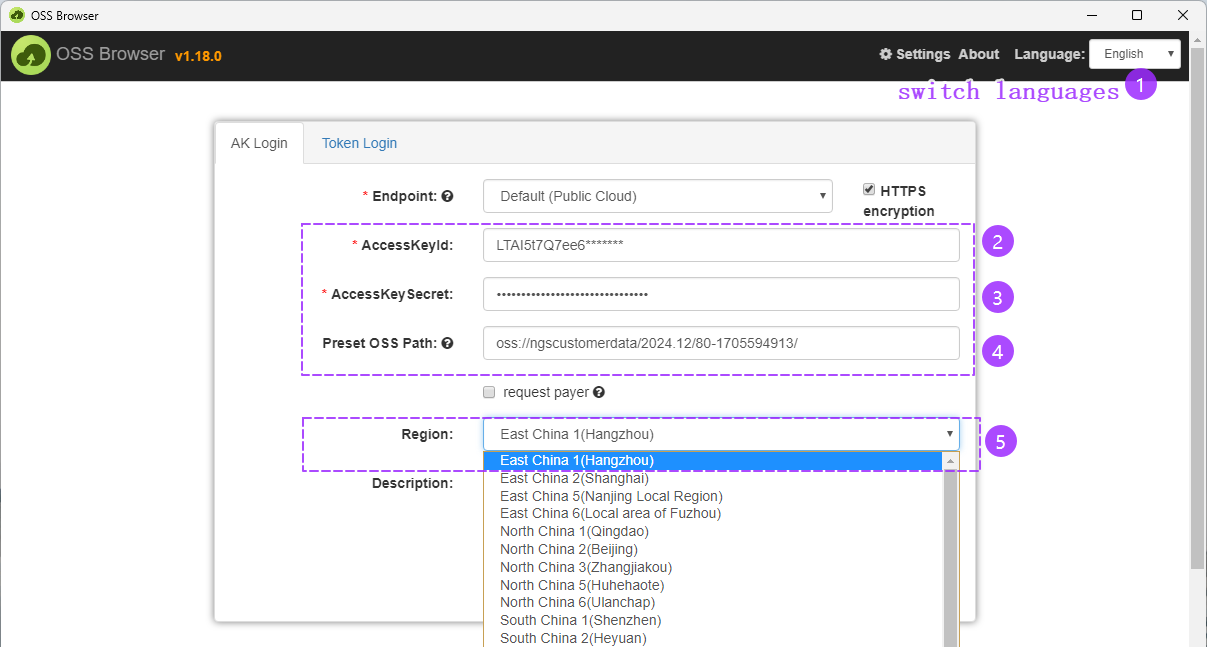
Enter the account information from your email into the input fields.
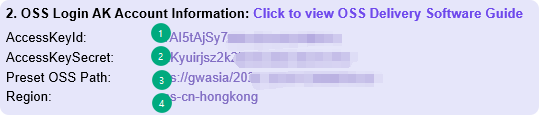
oss-cn-hangzhou corresponds to East China 1 (Hangzhou); oss-cn-hongkong corresponds to China (Hong Kong); oss-ap-northeast-1 corresponds to Japan (Tokyo).
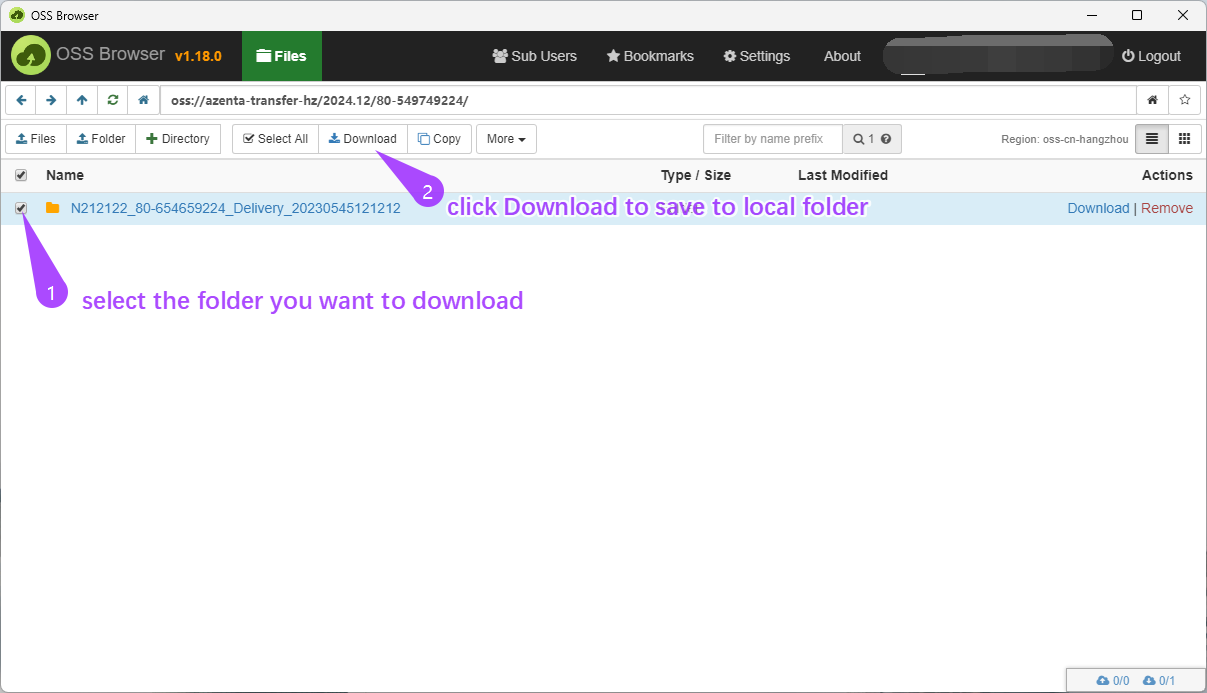
Download Data
From: https://www.alibabacloud.com/help/en/oss/developer-reference/oss-tools