

ossutil 2.0 User Guide
This tool is intended for advanced users who are familiar with command-line operations. ossutil runs on Windows, Linux, and macOS. Download and install the appropriate version based on your environment.
Download and Install
 Linux
Linux macOS
macOS Windows
- Use curl to download the package:
- Run the following command in the directory where the package was downloaded:
- Enter the ossutil-2.2.1-linux-amd64 directory:
- Grant execute permission:
- Global installation is not required. After the steps above, ossutil is already usable: you can run it with a relative path from the current directory or with an absolute path from any directory. You can verify it from the current directory with:
- Optional: If you want a regular user to run ossutil from any directory, move it to a user-local directory and add that directory to PATH. This only makes the command more convenient and does not affect using ./ossutil in the current directory.
- Optional: After step 6, run the following command to verify that PATH was configured correctly. This step only confirms shell environment setup and is not required for installation. If you do not want to modify PATH, you can keep using ./ossutil in the current directory, or use the absolute path to the ossutil binary from any directory:
- Optional: If you need a system-wide installation, you can still place it in /usr/local/bin with sudo. This is typically only needed for multi-user environments or when you specifically want a system-level command.
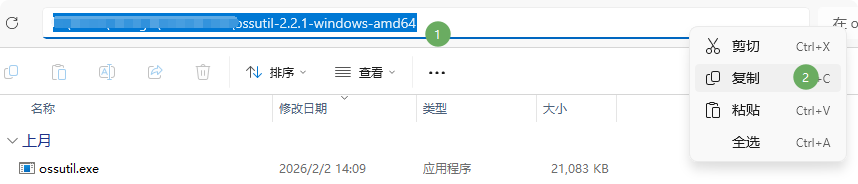
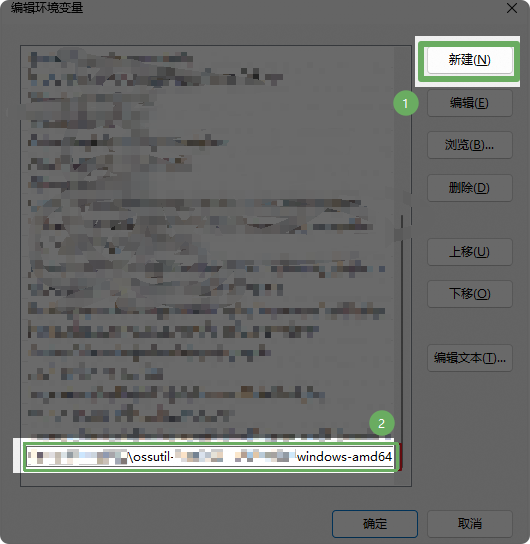
Download Data
To download data from the command line, first create a local destination directory.
Example
Parameter Notes
AccessKeyID: See the delivery email.
AccessKeySecret: See the delivery email.
OSS path: The preset OSS path provided in the delivery email.
Region: If the delivery email shows oss-cn-hangzhou, set this parameter to cn-hangzhou (remove the oss- prefix).
Wait for the download to complete.
From: https://www.alibabacloud.com/help/en/oss/developer-reference/oss-tools